
When it comes to lyrics and music, anything goes: artistic freedom, powerful stories, and sometimes the most unexpected themes and words. To help you navigate all of that, we’ve introduced a new feature in the Curator Studio designed to make your contributions even more impactful, especially when dealing with sensitive or complex content.
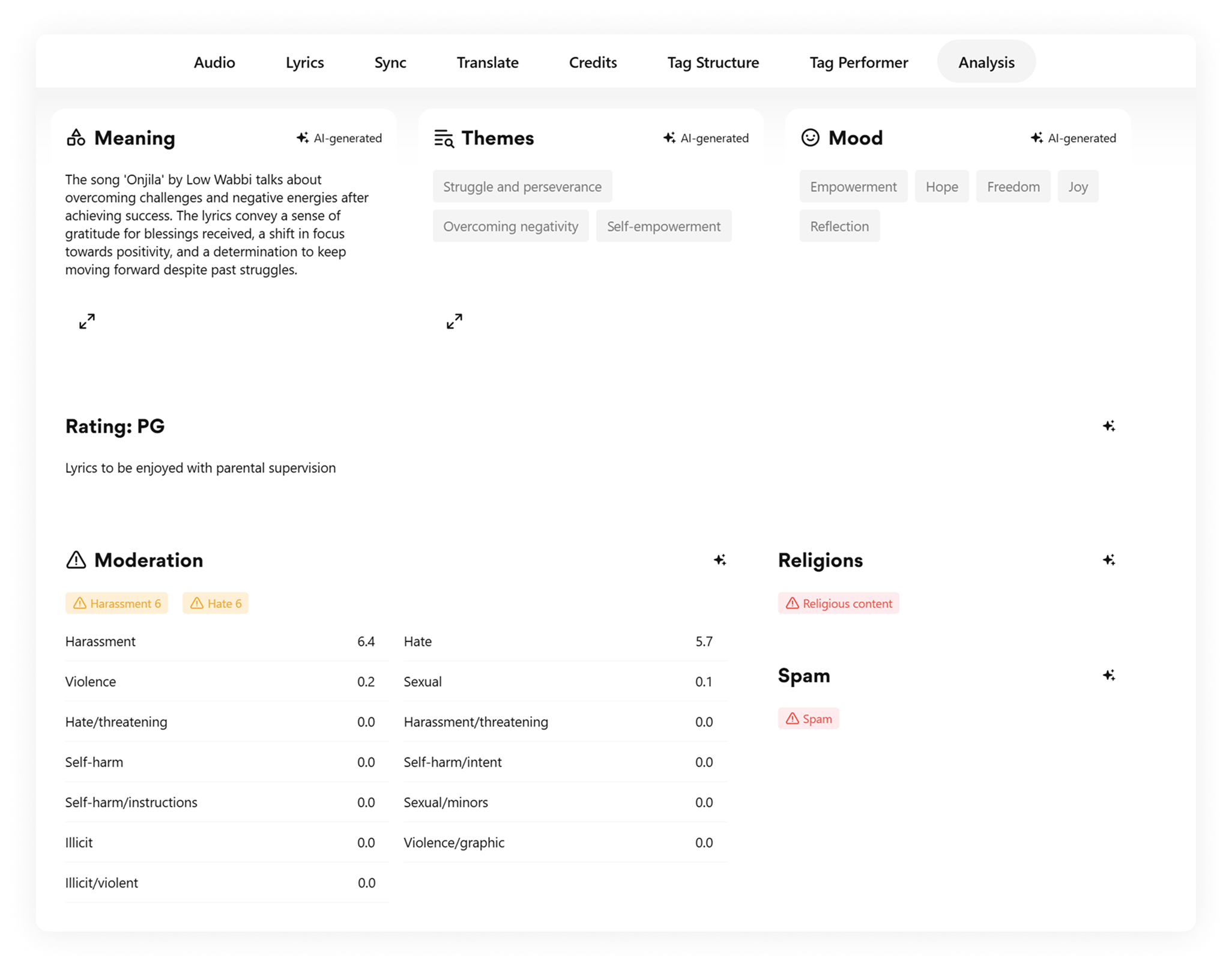
This new addition is here to guide your attention where it matters most. While every transcription deserves care, some tracks call for an extra level of scrutiny because of the themes they explore. The Analysis tab helps you quickly spot those cases, so you can review them with the focus they deserve, and flag them when needed through the dedicated form.
What’s inside the Analysis tab?
Inside, you’ll find a handy overview of the track across sections like Meanings, Themes, and Mood. These are there to give you context and help you better understand what you’re working on.
The Moderation section
This is where you’ll want to focus most.
The Moderation section highlights potentially sensitive content in the lyrics using a simple color-coded system:
🔴 Red highlights = highest attention required
Red flags point to “risky” content, such as religious references or other sensitive topics. When you see red, take a moment to slow down: listen carefully and make sure every word is spot-on.
🟠🟡 Orange & Yellow highlights = stay sharp
These can signal themes like harassment or hate speech. They still need a careful check — make sure everything is transcribed accurately and nothing is missed.
From review to action
Once you’ve used the Analysis tab to guide your proofreading, there’s one more key step:
👉 If you spot risky or sensitive content, please flag it using the dedicated form (linked here).
The Analysis tab is here to support your work, while your judgment and sensitivity still leads the way. Your attention to detail is still what makes the difference in every task. This tool helps you focus even more on the lyrics that need that extra care.